How to play
Hiro Hangout
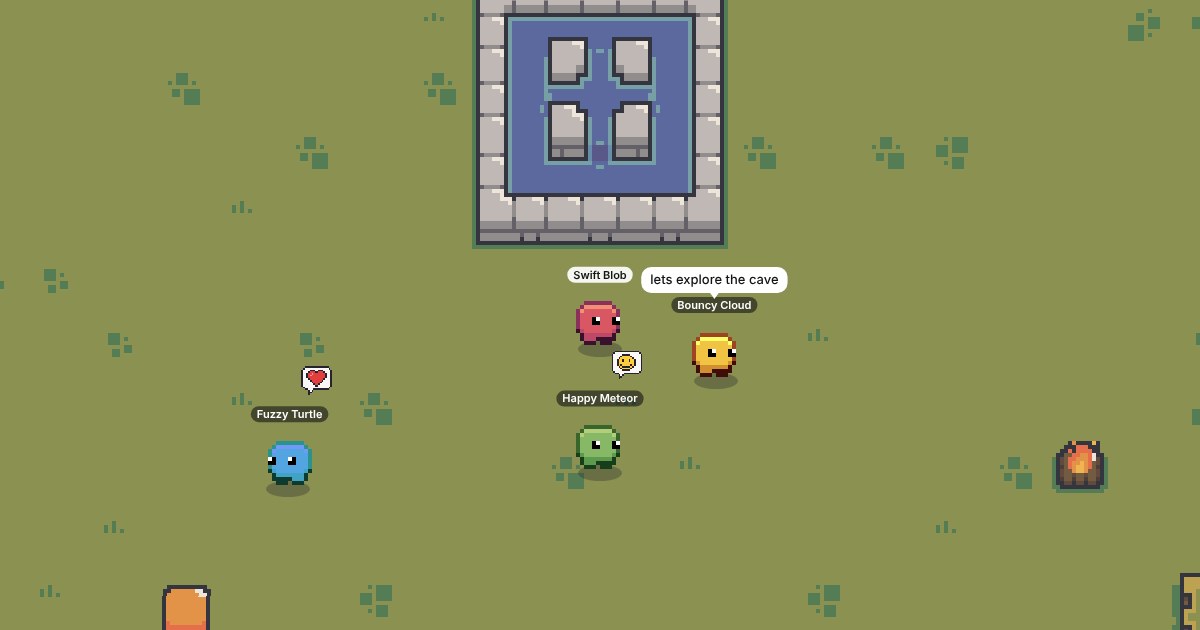
A pixel island you explore with everyone on your server, free in your browser. Pick a blob colour, walk around, say hi with chat bubbles and emotes, and find the gems and chests hidden across five islands and the cave beneath them.
Controls
- Move: WASD or the arrow keys. On a phone or tablet, put a finger anywhere and drag.
- Jump: Space, or the Jump button.
- Chat: press Enter to type, or tap Chat for ready-made friendly lines.
- Emotes: keys 1 to 8, or the Emote button.
- Players: tap or click a blob to hide their chat or report them.
The islands
- Forest (the middle): the fountain, a campfire, and bridges to everywhere else.
- Tundra (north): an igloo and a frozen pond you slide across.
- Desert (east): quicksand slows you down. The big rock has a cave in it.
- Swamp (south): wade through puddles and bounce off the giant red mushrooms.
- Taiga (west): pine woods, and the cave's other entrance.
- The cave joins the desert and the taiga. It's dark, so stay close to the glowing crystals, and ride the minecart over the lava.
Gems, chests and colours
28 gems and 7 chests are hidden around the map. Every chest you open unlocks a new blob colour, and so do every five gems. Find all 28 gems for the gold blob. Your finds are saved in your browser, and to your Hiro account if you sign in.
How chat stays safe
- Every message is checked on our server before anyone sees it. Names, phone numbers, emails, links, ages, schools, places and other apps are blocked, and so are rude words. Only letters, numbers, commas and periods can be typed.
- Everyone gets a made-up name like Bouncy Comet, so nobody knows who you really are.
- There are no friend lists and no private messages.
- Players who keep trying to get around the filter have their chat paused. Tap anyone to report them; a person at Hiro reads every report and can ban players.
- Never tell anyone online your real name, age, school or where you live.